
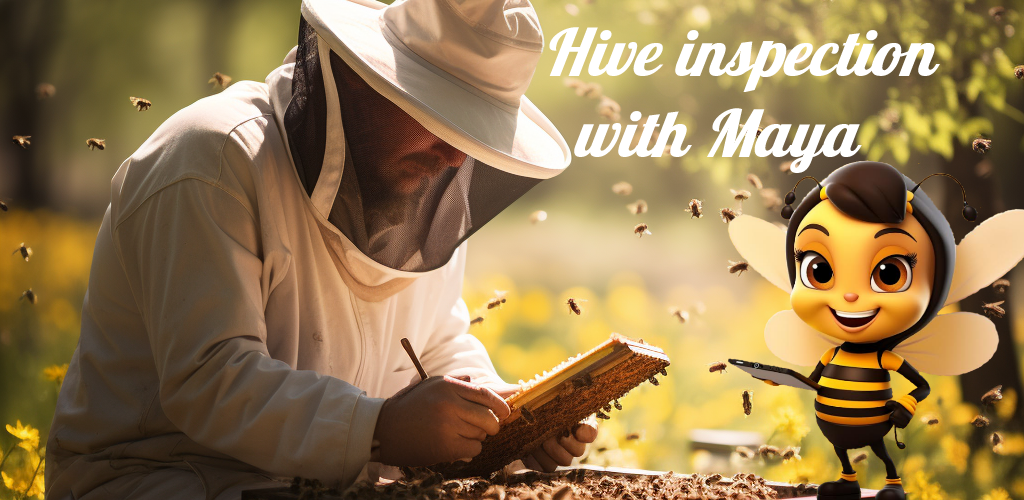
Hey Maya - Notebook for beekeepers
Hey Maya is a smartphone app for taking notes while inspecting hives in apiaries.
The application supports any number of apiaries and hives within each apiary. It can be operated during hive inspections without internet access. All data is processed locally, without being sent to the internet, ensuring its security. The user decides which data is archived on an external server and when. The application is currently available in seven languages (PL, EN, DE, FR, IT, ES, PT).
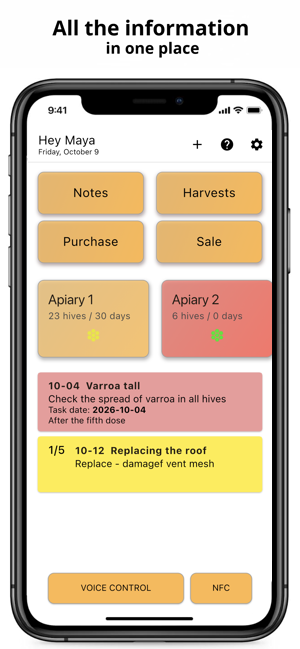
Everything about the apiary in one phone
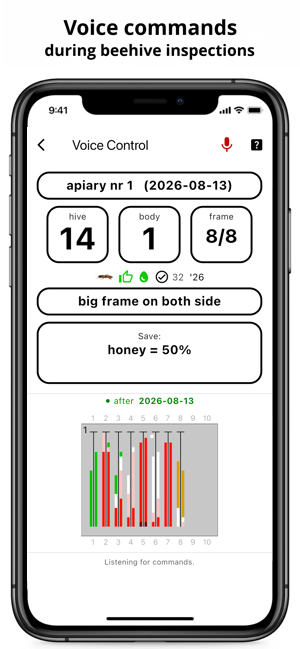
Voice control
Review without setting down the frame or removing gloves. Just say "Hey Maja, start," and the recordings are created from your spoken commands.
Graphical interface
Each body is drawn frame by frame. Brood, eggs, larvae, bee bread, honey, spot, queen, queen cells, etc. are marked separately on both sides of the comb.
Teamwork
One owner and many employees, each with precisely defined access to data and the scope of activities they can perform.
Feeding and treatment
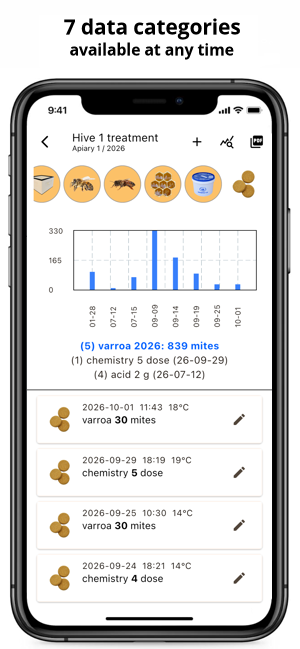
Syrups, dough, medication doses, strips and mite litter – with dates and quantities, always at hand for the next inspection.
Honey and pollen harvest
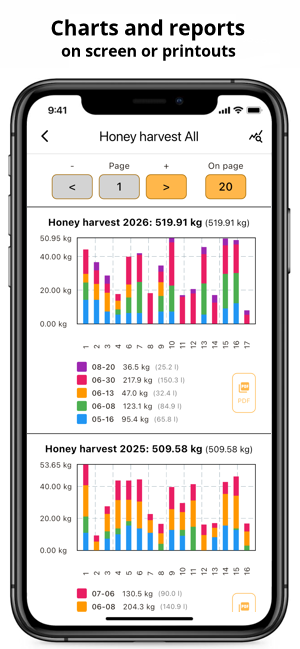
The harvest is recorded in frames, and honey is converted to kilograms based on comb area. Summaries are provided for the hive, apiary, and year.
Managing queens
Breed, line, year, color and mark number, and queen's rating. Each queen's complete history is included, and after a replacement, the previous queen's data is not mixed with the new one.
Reminders
Notifications about inspections, feeding, treatment and task deadlines - at a selected time, after a given number of days.
It works without a signal
All data is stored on the phone. The apiary doesn't require internet access—neither for notes nor for voice control.
Reports with charts
Honey and pollen harvests are charted for each hive and year, and can be saved as a PDF. Varroa droppings are also included.
And much more
Queens' parenting calendar
From the moment the larvae are transferred, the application schedules the following dates: reception, sealing and isolation of queen cells, queen emergence, flights and brooding – with reminders.
Apiary calculators
Syrup 1:1, 3:2 and 2:1, honey-sugar cake, oxalic acid 3.2% and lactic acid 15% – how many ingredients for the selected number of families.
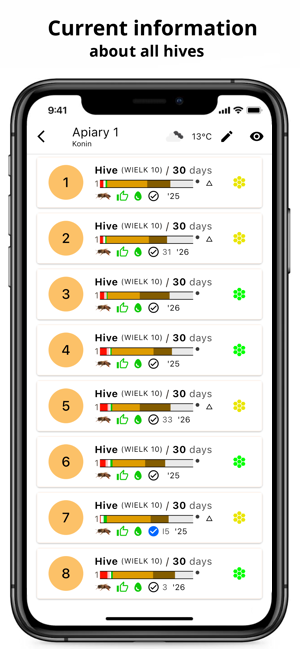
Latest info about the hive
One screen with the latest entries from all categories and notes - tasks to be done, time since review, queen cells.
Priority notes
Tasks to be completed with deadlines and priorities. You can dictate notes and listen to the recording.
Custom hive types
In addition to standard hives, we offer frame names and dimensions tailored to your own hives. Frames and half-frames, large and small frames.
Map of apiaries
Locations of all apiaries on the map, with the bees' flight range (2.5 km) and weather forecasts marked.
Photos
A photo from your camera or gallery attached to your hive information.
NFC tags
Tag on the hive and one touch of the phone opens the data of that particular hive.
Cloud backup
Data backup and easy transfer of your apiary to a new phone.
A “Voice Control” option is available (fee: 29.99 EUR/year), allowing you to enter information using voice commands in Polish and English. Information entered, such as information about resources on frames, is displayed on the screen in real time, making browsing much easier. It works without internet access.
Below is a video demonstrating how this works in practice, in Polish (turn on English subtitles).
The app can be downloaded to your smartphone for free.


Questions and Answers
On iPhones running iOS 15 or later and on phones running Android 8 or later.
Yes. Inspections, feeding, treatment, harvests, and notes are saved on your phone, without an internet connection. Voice control also works offline. Internet is only required for weather forecasts, maps, activation, and data exchange with the cloud.
Yes. Each apiary has its own list of hives, a 5-day weather forecast, and a location on a map showing the bees’ flight range (2.5 km). A hive can be moved to another apiary, with or without its history.
In “Settings,” you can define your own hive types, including names and internal dimensions for the large and small frames. The application distinguishes between bodies and half-bodies, and calculates honey harvest based on comb area.
Yes. You can enable notifications about inspections, feeding, treatment, and task deadlines from Notes, with a selected time and number of days since the last entry. A separate queen rearing calendar lists the dates from larval transfer: reception check, sealing and isolation of queen cells, queen emergence, mating flights, and brood check – and reminds you about each of them.
Yes. Honey and pollen harvest reports with charts for individual hives and years can be saved as a PDF file and shared. Treatment reports and histories of each hive and queen are also available.
An NFC tag attached to the hive allows you to access its data with a single tap of your phone. In “Settings” (“NFC Support”), you can choose whether to open detailed hive information or the latest information from all categories, along with notes. This feature requires an NFC-enabled phone.
In seven: Polish, English, German, French, Spanish, Portuguese, and Italian. The language can be manually selected in “Settings,” regardless of the phone’s language.
On the app’s home page, press the “VOICE CONTROL” button and then say “Hey Maya, start.” A list of all commands can be accessed by clicking the “?” icon on the voice control screen or by clicking the “help me” command. Before your first use, it’s worth reviewing this list.
No. Maya recognizes commands from a list, not arbitrary speech – this means she works without an internet connection and doesn’t record anything from random conversations at the hive. The exception is dictating a note: after “Hey Maya, note for inspection” or “Hey Maya, note for notepad,” everything said is recorded, up to the words “Hey Maya.”
No. The microphone is only used on the voice control screen. Even there, Maya is initially on standby and only responds to “Hey Maya, start.” Speech is recognized on the phone and not sent anywhere.
Only dictated notes are recorded, and only when “Note recording” is enabled in the voice control settings. Recordings remain on the phone; they are not stored in the cloud, and they are deleted after 7 days, or along with the note.
Just say, “Hey Maya, undo last save.” You can undo up to five of the last save commands, including those issued for all hives at once. Any entry can also be corrected by repeating it with the correct value or manually in the app.
- Speak calmly and in complete phrases – a long pause in the middle of a sentence can break the instruction into two parts.
- Before giving the next instruction, wait for the confirmation signal of the previous instruction.
- Use phrases from the instruction list (“help me”) – Maya understands the phrases given there, not their arbitrary equivalents.
- Pronounce fractions with the word “point,” for example, “syrup one to one 1 point 5 liters.”
In Polish and English. The “VOICE CONTROL” button appears when the app is set to one of these languages. Voice control is not yet available in other interface languages. In Polish and English. The “VOICE CONTROL” button appears when the app is set to one of these languages. Voice control is not yet available in other interface languages.
On your phone, in the app’s database. All recordings are created and maintained locally.
Data can also be stored in the cloud as a backup. With automatic export enabled in “Settings,” the app sends new entries to the cloud each time it’s launched, provided there’s an internet connection. You can disable export and manually send only new entries or all of them. Recordings of dictated notes are never sent to the cloud.
- On your old phone, upload all your data to the cloud (“Export all data to the cloud”).
- Install Hey Maya on your new phone and activate it with the same activation code.
- Download your data using the “Import data from the cloud” command. If your database is large, you can import only a specific year—it will be faster.
- This allows you to use multiple phones sharing a single cloud database—for teamwork.
Yes. You can attach a photo taken with your camera or selected from your gallery to your hive information. The photos remain on your phone and can be sent separately to the cloud.
Just contact
. When reporting a bug, please include your phone model, app version, and a description of the steps that caused the error to appear. Suggestions for new features are welcome.